Order details
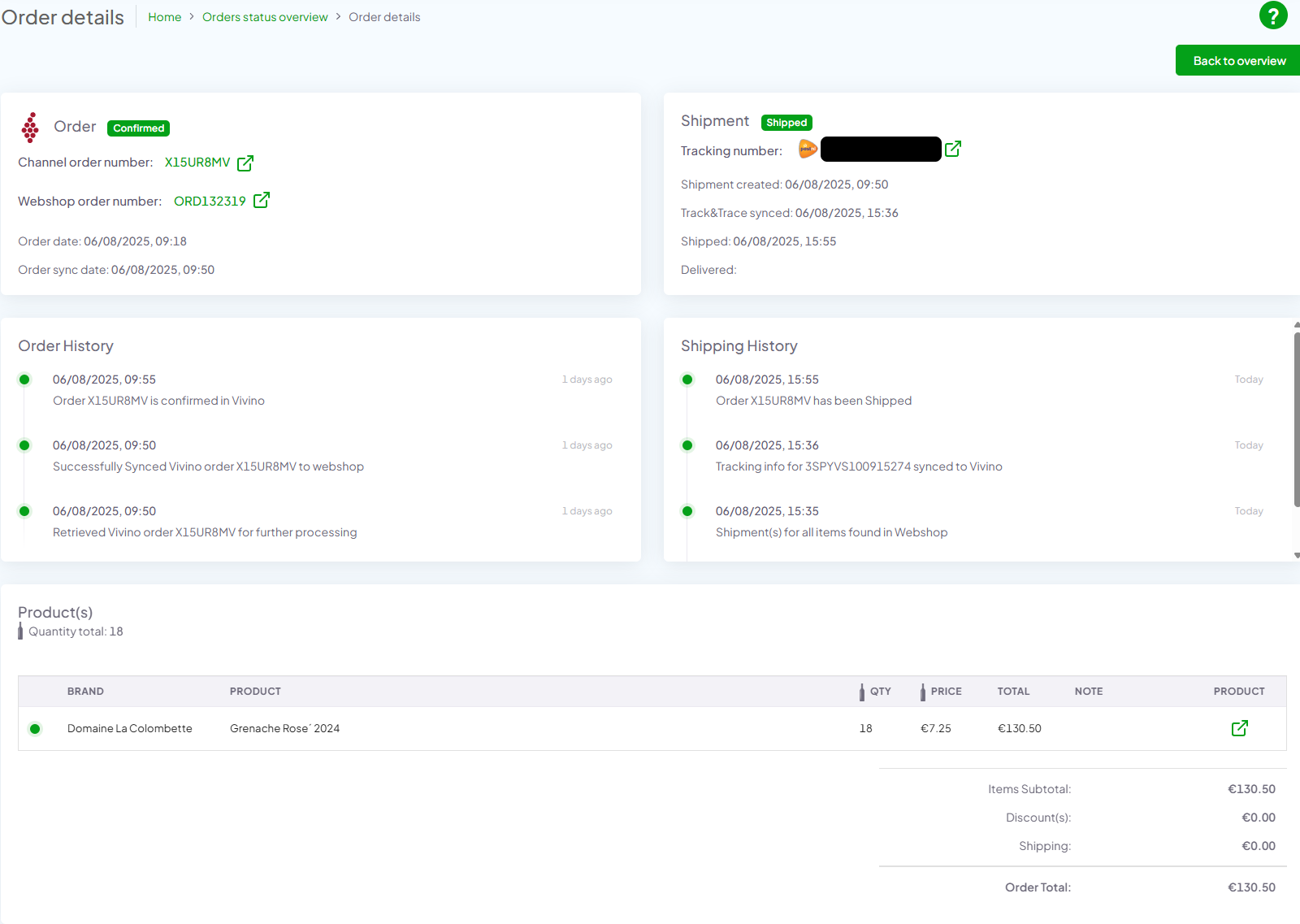
On the order detail page, you can see information about the specific order by clicking on one “Channel order id” in order overview:
- Information on order:
- a. Channel logo
- b. Order status
- c. Channel order number (clickable external link)
- d. Webshop order number (clickable external link)
- e. Order date
- f. Order sync date
- Information on shipment:
- a. Tracking number (clickable external link)
- b. Shipment created
- c. Track&Trace synced
- d. Shipped
- e. Delivered
- Order history (here you can see how the status was changed from the order date)
- Shipping history (here you can see how the status was changed from the order date)
- In the Product(s) section you can see table of all the products in the order
- a. Brand
- b. Product
- c. QTY
- d. Price
- e. Total
- f. Note (here you will see if there are any problems with the product)
- g. Product (clickable external link)
- h. Order total
- ? (Help button) – click on help button to see help how to use Actenzo Dashboard
- Back button on the top right side to go back to the order status page