Orders status overview
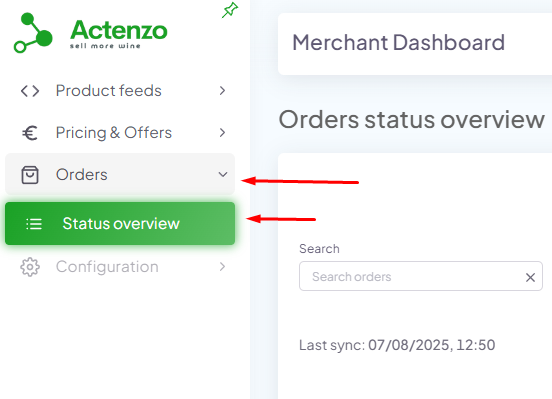
- Once logged in into dashboard on left panel click on Pricing
- Click on Products
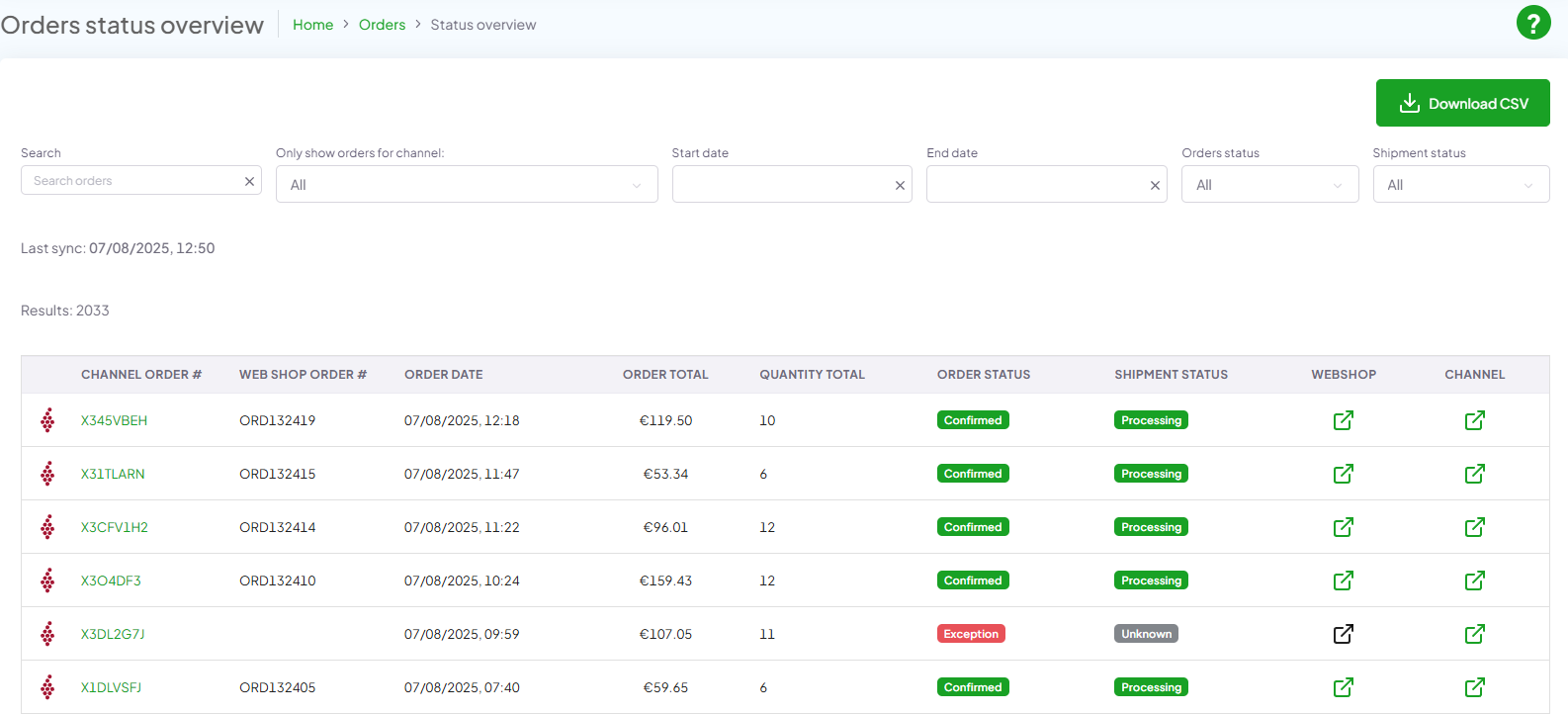
In the status overview list you can see every order that has been made along with some basic information about that order, for more detailed information click on Channel order id
- a. Search box (reset search by clicking on x withing search box)
- b. Drop down selction for selecting channles
- c. Start date / end date
- d. Order Status
- i. Unknown
- ii. Pending
- iii. Processing
- iv. Exception
- v. Confirmed
- vi. Request Hold
- vii. Holding
- viii. Cancelled
- ix. Completed
- e. Shipment status
- i. Unknown
- ii. Processing
- iii. Shipment Created
- iv. Shipped
- v. Delivered
- vi. Delivery Failure
- f. Channel order # (order number of channel)
- g. Web shop order # (order number of webshop)
- h. Order date
- i. Order total (the amount of the order In total)
- k. Order status
- l. Order status
- m. Shipment status
- n. Webshop (external URL to webshop)
- o. Channel (external URL to channel)
- p. Download CSV - download a file in CSV format with all orders
- r. ? (Help button) – click on help button to see help how to use Actenzo Dashboard